


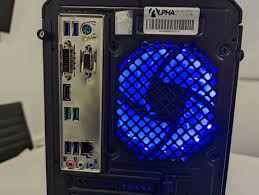
Maximize your gaming PC or laptop performance by selecting a CPU that meets the demands of modern gaming. While CPUs are built to be durable and long-lasting with proper care, advancements in computer and CPU technology continue to push performance boundaries. Newer gaming CPUs feature larger cache sizes, faster clock speeds, and higher thread counts, delivering enhanced performance—especially when paired with compatible, up-to-date components. The CPU plays a crucial role in gaming, impacting key aspects such as streaming quality, frame rates, and dynamic in-game elements.
What You Need in a CPU
Before purchasing a Ryzen 7 Gaming PC or any other gaming CPU for your desktop or laptop, it’s essential to define your specific needs. Consider your primary usage environment—will you prioritize a desktop PC or the portability of a laptop? There are excellent laptops from manufacturers like Lenovo, HP, Apple (MacBooks), and others that can handle gaming effectively. Additionally, think about how you intend to use your system beyond gaming. Many users also require their PC for professional applications, such as video editing, 3D rendering, streaming, or content creation, all of which demand more from your CPU.
Main CPU Features
Understanding how CPU specifications impact your system’s performance is crucial. Key CPU features to consider include:
- Core Count: Modern gaming CPUs typically have several cores cores, with each core functioning as an individual processor. More cores enable better multitasking and optimize performance during CPU-intensive activities like gaming, streaming, video encoding, and content creation.
- Clock Speed: Measured in gigahertz (GHz), clock speed indicates how many cycles a CPU completes per second. Higher clock speeds generally translate to better performance, especially for games that rely heavily on single-threaded processing. Aim for the highest clock speed per core that fits your budget.
Other Important Features
Beyond the core specifications, consider these additional CPU features when making your choice:
- Laptop-Specific Features: Many modern gaming laptops deliver desktop-level performance. Look for CPUs optimized for power efficiency to balance gaming demands with battery life and heat management.
- Integrated Graphics: Some CPUs come with integrated GPUs, which can be useful for non-gaming tasks such as streaming or video editing. However, for high-end gaming, a dedicated graphics card is usually necessary.
- Overclocking Capability: If you plan to overclock, ensure that your CPU supports overclocking and pair it with compatible cooling solutions. Overclocking can boost performance by increasing clock speeds but requires careful management to maintain system stability.
Whether upgrading your existing system or building a new gaming PC, these factors will help you select a CPU that delivers the best gaming experience.
Read More: Amazing Gaming Laptops You must buy in 2021
Frequently Asked Questions (FAQs)
Most modern games perform well with at least 6 to 8 cores. However, having more cores benefits multitasking scenarios like gaming while streaming or running background applications.
It depends on the game or task. Many games benefit from higher clock speeds, but tasks like video editing or streaming benefit from more cores. For balanced gaming and productivity, choose a CPU that offers a strong combination of both.
If portability is important, a high-performance gaming laptop with a suitable CPU can suffice. For the best performance and upgrade options, desktop CPUs generally provide more power and better cooling solutions.
Integrated graphics are suitable for casual gaming and non-intensive titles but typically underperform compared to dedicated graphics cards, which are recommended for mainstream gaming.
Overclocking is the process of increasing your CPU’s clock speed beyond its base specification to gain extra performance. It’s not necessary for casual gamers but can provide a performance boost if you’re comfortable tweaking hardware and managing additional heat and power consumption.